SynaptaGrid Data

Change the model, not the release plan

Model the records your business actually keeps — then change their shape without a migration.

Define record types and reusable field groups, nest and repeat them as deeply as the real document does, and get the endpoints and the screens for free. Every version of the model is kept, every change is attributed, and you can go back. Run it on our cloud or keep the data in your own environment.

Read the Data documentation

Build-versus-buy boundary

The ownership boundary

This replaces platform machinery, not product judgment. The division should be clear before the feature catalogue starts.

SynaptaGrid owns the machinery

  • Versioning, impact analysis, managed migrations and restore history.
  • The REST API, form and table generated from one definition and kept in step.
  • Search, import and export, plus signed delivery with retry and a delivery log.
Your team owns the decisions

  • What each record means, how it is structured and which changes are acceptable.
  • Who may see or change it, and the retention policy that applies.
  • Where the generated surfaces fit and which existing systems consume the API.

Infrastructure replacement, not outsourced product design. Review security and deployment →Review portability and continuity →

The shape

Model the document, not a flattened version of it

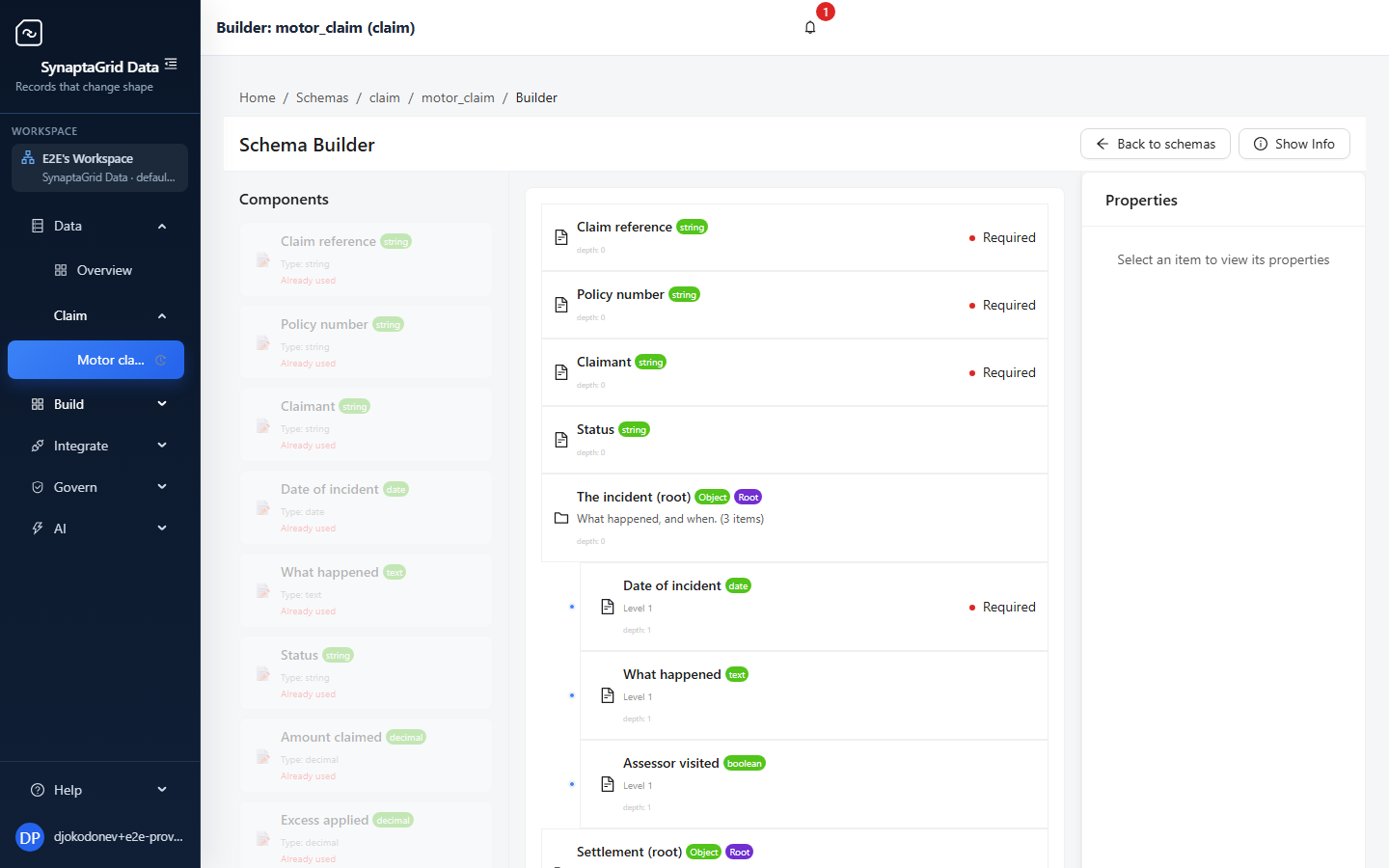
Sections nest, and sections repeat. This is a claim as the business actually files it.

One record type

Motor claimrecord type
Claim referencetext
Policy numbertext
Statuschoice
The incidentsection
Date of incidentdate
What happenedlong text
Assessor visitedtrue/false
Line itemrepeatsone per item claimed
Descriptiontext
Amountdecimal
Evidencerepeatsone per attachment
Fileupload
Taken ondate and time

The same claim, flattened into columns

claim_refitem_1_descitem_1_amtitem_2_descitem_2_amtitem_3_…
CLM-1043Bumper1200.00Paint640.00NULL
CLM-1048Wiring3100.00NULLNULLNULL

A fourth line item is a migration. Evidence per item has nowhere to go at all.

The other way out

Put it in a JSON column and the shape survives, but validation, search and any guarantee about what is inside it do not — and every consumer re-implements its own reading of the blob.

Here, the structure is the schema

It validates, it is searchable, it produces the API and the form — and a fourth line item is just a fourth line item.

The schema builder showing the Motor claim schema: top-level fields, then a nested Incident section containing date, description and assessor fields, with a components palette and a properties panel.
The same claim in the builder — sections nested, fields typed, nothing generated by hand.

The payoff

Publish it, and three things exist

Not scaffolding you then finish — the endpoints, the form and the table, all derived from the one definition.

One definition

Motor claim · published as v3

Appears

A REST API

GET/claim/motor_claim/v3/flat/
POST/claim/motor_claim/v3/flat/
GET/claim/motor_claim/v3/flat/{id}
PUT/claim/motor_claim/v3/flat/{id}
DELETE/claim/motor_claim/v3/flat/{id}
POST/claim/motor_claim/v3/flat/bulk
GET/claim/motor_claim/v3/json-schema

Plus paging, filtering, sorting and search on the list.

Appears

A working form

Claim reference
Status
▾
Line item+ add

Nested and repeating sections render themselves.

Appears

A table to work in

Reference
Claimant
Status
CLM-1043
A. Whitfield
Assessing
CLM-1044
M. Okonkwo
Approved
CLM-1045
R. Bianchi
Awaiting docs

Server-side paging, typed filters, saved layouts.

None of the three is written by hand, and none can drift from the others — there is one definition behind all of them. Change it, publish, and all three move together.

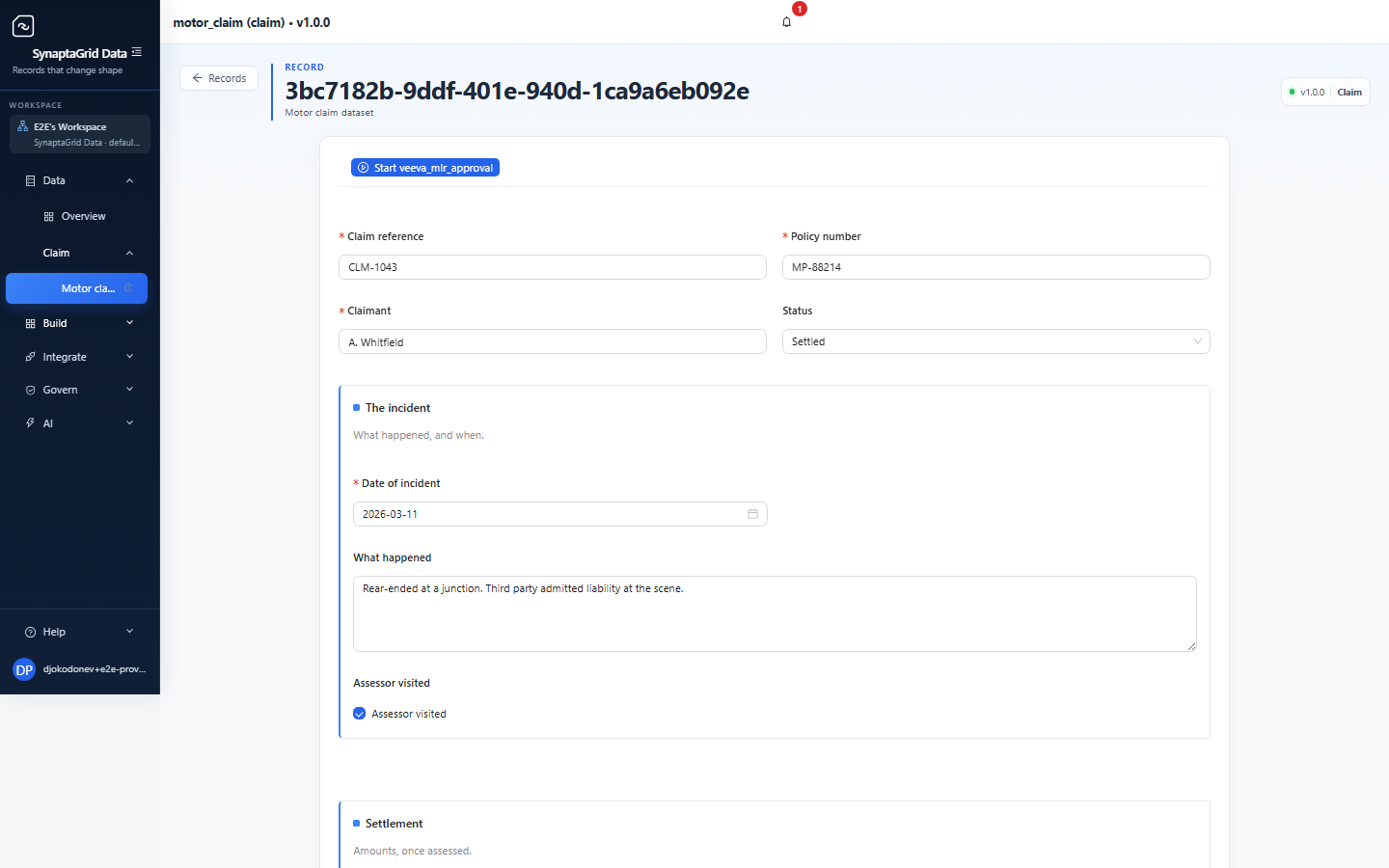
The edit form for claim CLM-1043: claim reference, policy number, claimant and status at the top, then a nested 'The incident' section with date of incident, what happened and assessor visited — every field typed and laid out from the schema.
Nobody built this form. It is the schema, rendered.

The history

Every write kept, and a restore that shows

The answer to “what did this say in March”, without reconstructing it from logs.

Claim CLM-1043

Every write, kept

Snapshot 4currenta restoretoday 09:12

Settlement total back to £4,200

restored from Snapshot 2 by R. Bianchi

Snapshot 3yesterday 17:40

Settlement total set to £6,850

M. Okonkwo

Snapshot 212 Mar 11:02

Second line item added

A. Whitfield

Snapshot 111 Mar 08:30

Claim created

Intake

A restore is an event, not an erasure

Going back writes the old values forward as a new snapshot, so the history still shows that someone went back, when, and from where. The snapshot you restored from is never altered.

That distinction is the whole point when somebody later asks what the record said on the twelfth. A log you can rewind cannot answer it.

  • A snapshot per write, to a depth you choose
  • Identifiers and audit columns are never overwritten by a restore
  • Enabled per schema, so you pay the storage only where it earns it
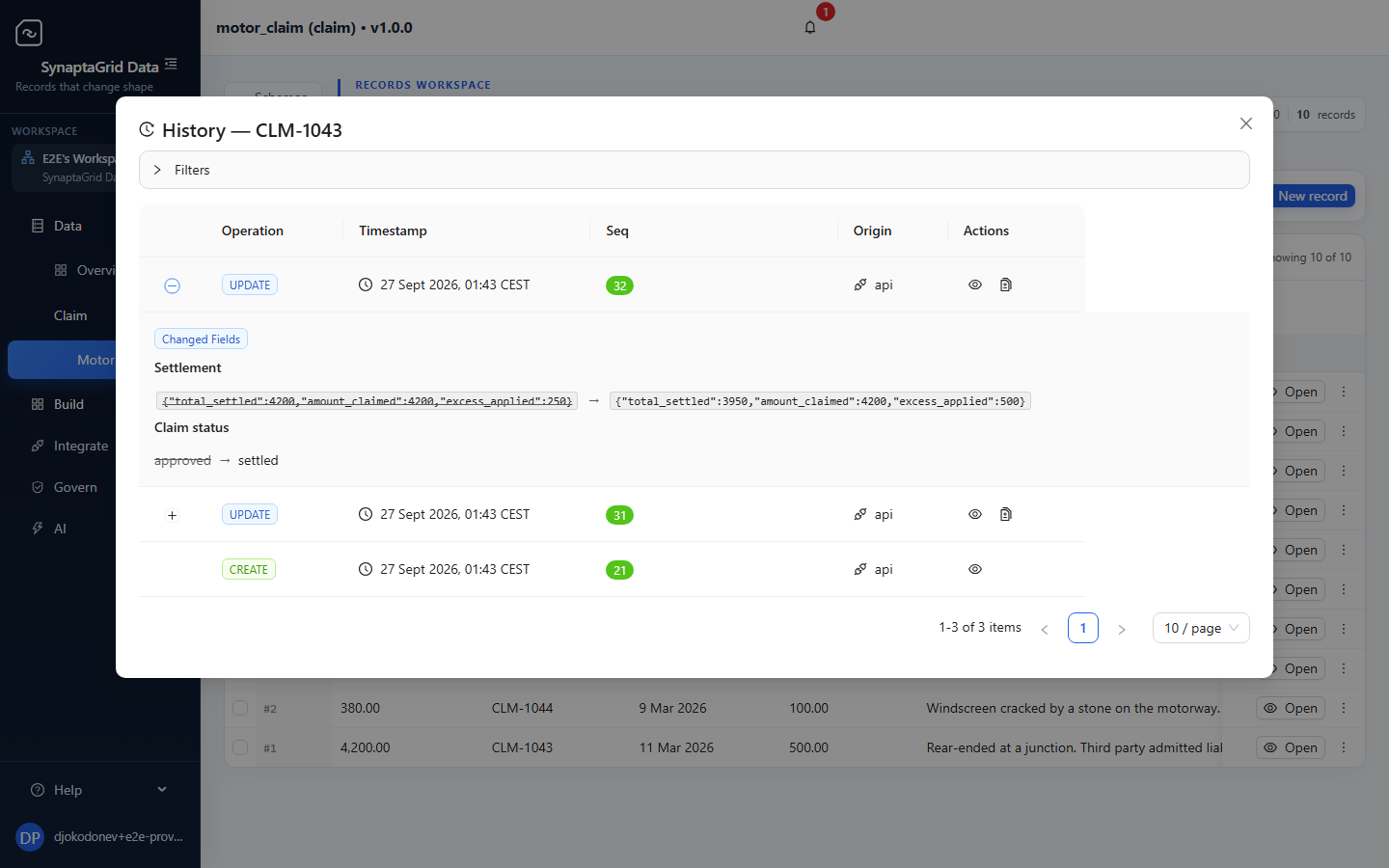
The history for claim CLM-1043, listing when and where each change originated, one entry expanded to show the fields that changed with their before and after values.
Every change, attributed — and what it changed from.

Getting it out

The delivery machinery, already built

Signing, backoff, dead-lettering and a log that tells you what happened — the parts you would otherwise write twice.

Delivery log

entity.updated → your endpoint

attempt 1503+0s
attempt 2503+10s
attempt 3503+60s
attempt 4dead-letter+300s
Receiver healthy again?Redrive 1,204

Signed, so the receiver can trust it

Every payload carries a signature. An endpoint that accepts anything posted to it is an endpoint anyone can drive.

Backoff, then dead-letter

Retries widen rather than hammer a struggling receiver, and what finally fails is set aside instead of lost.

Bulk redrive when you are back

Replay what dead-lettered once the far end is healthy — no re-emitting from your side, no gap to reconcile.

Four destinations

An HTTPS endpoint, Amazon SQS, Amazon SNS or Kafka. Outbound only — ingress is the API.

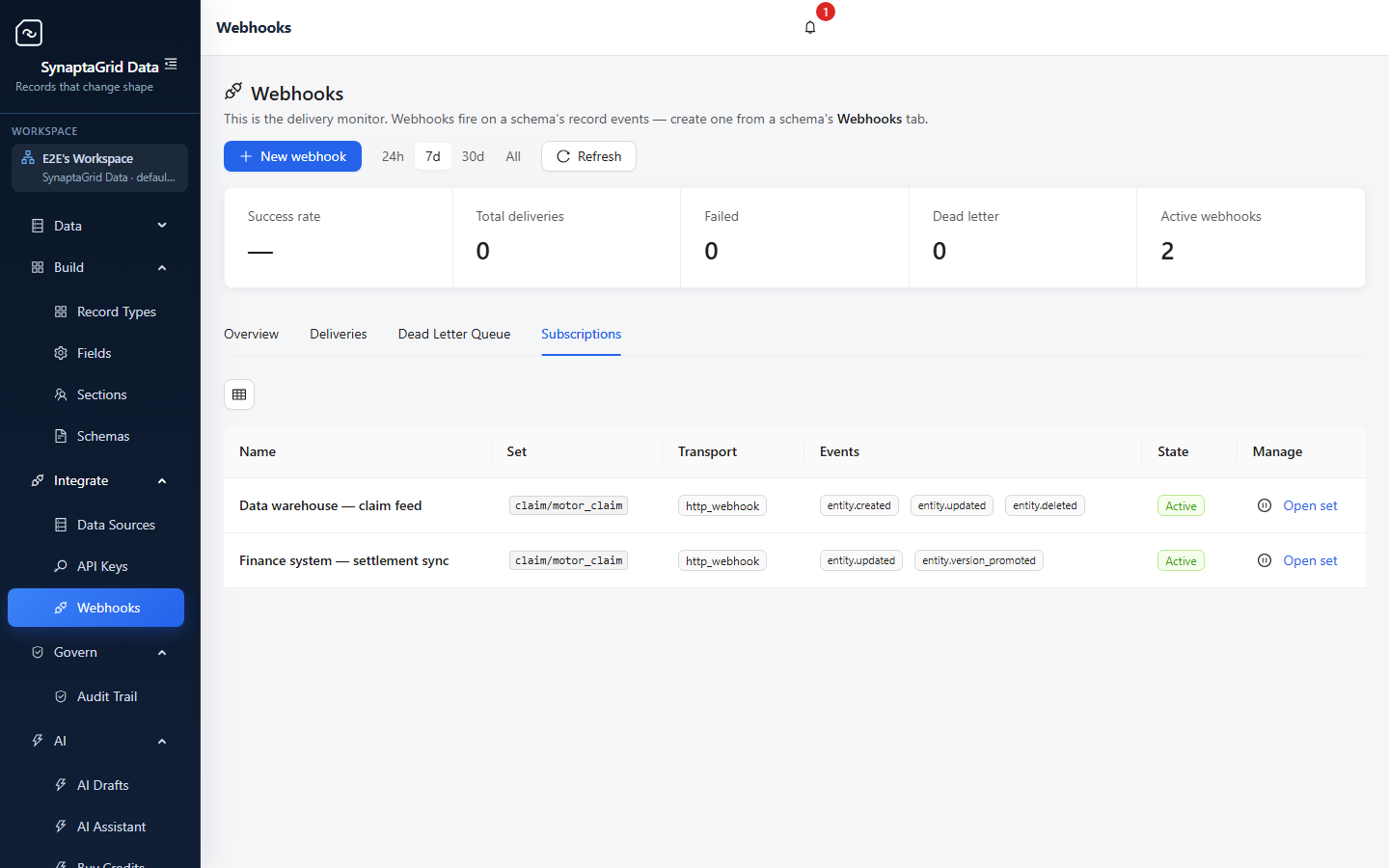
The webhooks screen, listing subscriptions and their delivery state.
Subscriptions and their delivery state, in the product.

The change

What happens when the shape changes

The step that usually means a migration window, a rollback plan, and someone awake at 2am.

Draft

Change the shape

You make Amount required and add a nested Evidence section. The draft is yours; nothing live has moved.
Analyse

Told before you publish

The draft is compared against v2:

  • !Amount now required — breaking
  • +Evidence added — safe
Migrate

A plan you review first

A column map you check before anything runs, classified by risk — a straight copy, a conversion that may lose precision, or a transformation you supply.
Publish

v3 live, nothing lost

Records and integrations follow the version they were on. Rows that would not convert are waiting for you, not gone:

quarantined3
migrated18,412
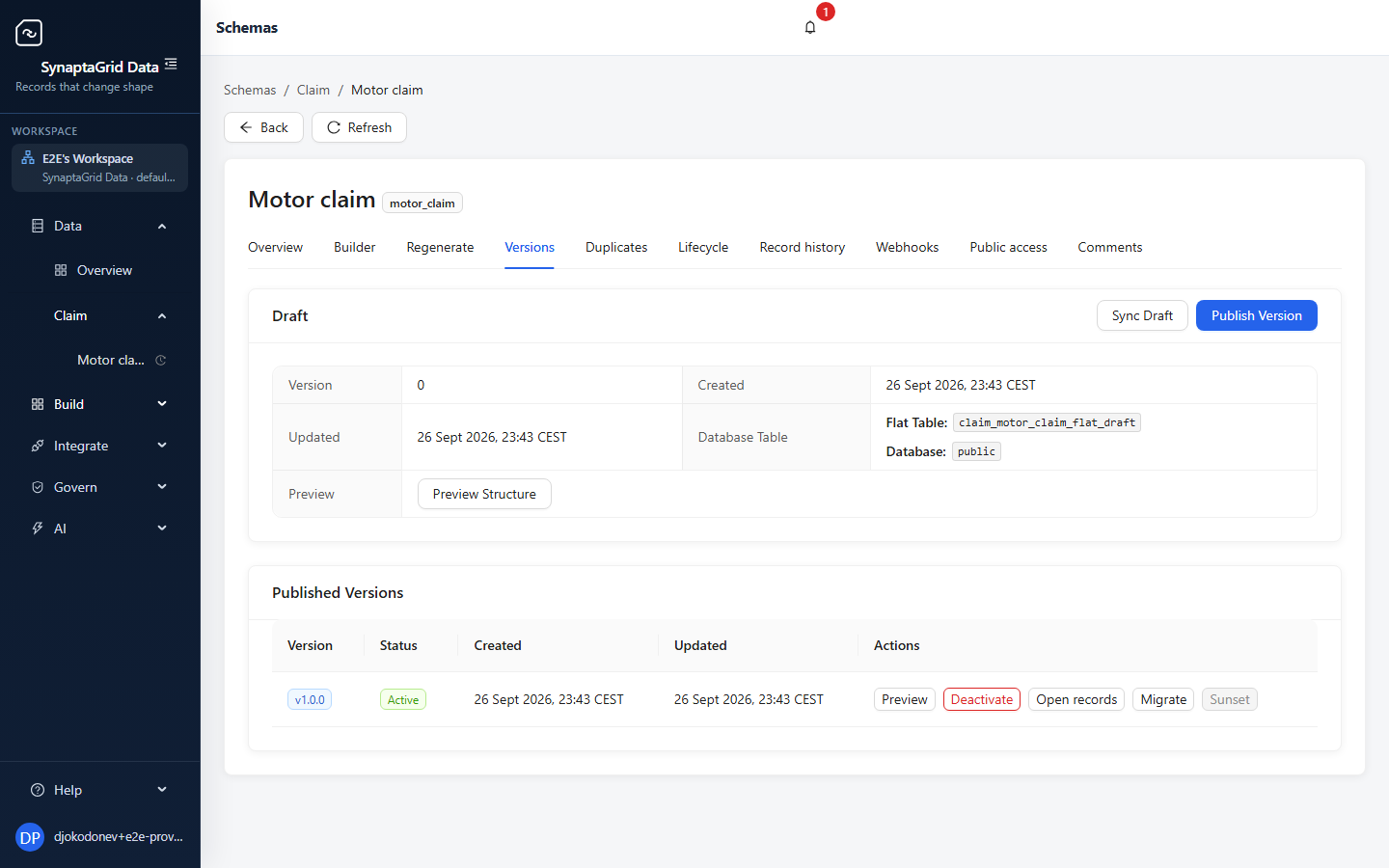
The versions screen for a schema, listing published versions alongside the working draft.
Published versions and the working draft, side by side.

If you have built this before

The parts that cost you last time

Everything below is on this page in full. These are the ones that tend to decide it for people who have already solved these problems the hard way.

You have run a breaking schema change against live data before.

The migration is managed, and bad rows survive

You get a plan between the two versions with a column map you review before anything runs. Rows that will not convert are quarantined one by one — so a single malformed record does not halt the migration at 2am, and does not get silently dropped either.

You have shipped a field change and found out downstream what it broke.

You are told what breaks before you publish

The draft is analysed against the live version: which changes are breaking, which need data migrated, which operations keep working. The answer arrives before the change does, not from a support ticket a week later.

You have been asked what a record looked like three months ago.

Every write is kept, and restorable

A snapshot per write, to a depth you choose, with restore to any retained point. The restore is itself recorded, so the history stays honest about what was done to it.

You have written the same CRUD endpoints for the fifth entity this year.

The API exists the moment you publish

List, read, create, update, delete, bulk and search — plus a schema endpoint per version so your clients cannot drift from the shape the server enforces. No code generation step, no redeploy.

You have written a one-off CSV importer that became permanent.

Import and export are already there

Every published version registers itself for CSV and JSON in both directions, with a sample file showing the expected shape. Nobody wires it up per record type, and nobody maintains it afterwards.

You have built a webhook sender, then the retries, then the dead-letter queue.

Delivery, retries and the log come with it

Subscribe your endpoint, a queue or a stream. Payloads are signed, failures retry on a backoff and then dead-letter, and there is a delivery log with per-attempt detail and bulk redrive when your receiver comes back.

You have handed out a shared key because scoping one properly was a project.

Keys you scope and rotate yourself

Mint a key limited to particular record types, with its own rate limits, and rotate it without downtime. Key holders are always served the published version, never your working draft.

You have reconstructed who changed what from application logs.

The change history is a feature, not an archaeology project

A filterable history of every change with a per-record view, and threaded comments on the records and on the schema definitions themselves — so the discussion sits with the thing it is about.

Modelling

Design the model, not the tables

Nested, repeating structures that match the real document, built by dragging rather than by migration.

4 capabilities

Model the shape you actually use

Sections that nest and repeat, so a document with line items and sub-sections is modeled as it is, not flattened to fit a table.

A record type holds one or more named schemas. A schema is built from sections, and a section can contain other sections or repeat as many times as the record needs — line items, evidence blocks, checklist sub-sections.

  • Record types, optionally arranged in a parent and child hierarchy
  • Sections that nest to any depth, and repeat where the real document repeats
  • Nine field types: text, long text, whole number, decimal, true/false, date, date and time, time, and structured data
  • Choice fields on top of those, with the options coming from a fixed list or a live source
  • Per-field rules: required, unique, searchable, indexed, default value, and validation
  • Reusable sections shared across record types, with per-placement overrides
  • System field names are reserved and refused, so a field cannot collide with the record’s own identifiers

Fields that look right on screen

Each field carries how it should be presented, so the form is usable without anyone writing form code.

  • 43 presentation types, including rich text, markdown, tags, color, phone, cascading select, tree select, transfer, slider and range
  • File, image and PDF upload widgets with permitted types, size caps, drag-and-drop and multi-file limits
  • Long choice lists load as you type rather than being loaded up front — over a threshold, options are fetched on demand with search and paging

Choice lists that stay current

A choice list can be fixed, or it can read live from another record type, another field’s list, a registered database or a REST endpoint.

Referring to another record type is how relationships are expressed: the list resolves at read time, so it reflects the current data rather than a copy made when the field was defined.

  • Four live sources: another record type, another field’s list, a registered database, or a REST endpoint
  • Preview what a source returns before saving the field
  • Fixed lists too, set individually or in bulk

Build the schema by dragging

Assemble a schema on a canvas from a palette of sections and fields, with a properties panel and validation as you go.

  • Drag-and-drop canvas with a palette and a properties panel
  • Validation while you build, not after you save
  • Or start from a ready-made structure: address, company, contact, invoice or payment
  • Save a structure you designed as a reusable template for your organization

One record, one continuous trace

Use one, or use both

Data governs the record. Automation runs the work around it. Publish a Data model and its record operations become available to Automation; bind the entity, map the fields and arm the workflow without rebuilding a connector.

Run the work, and watch it run →
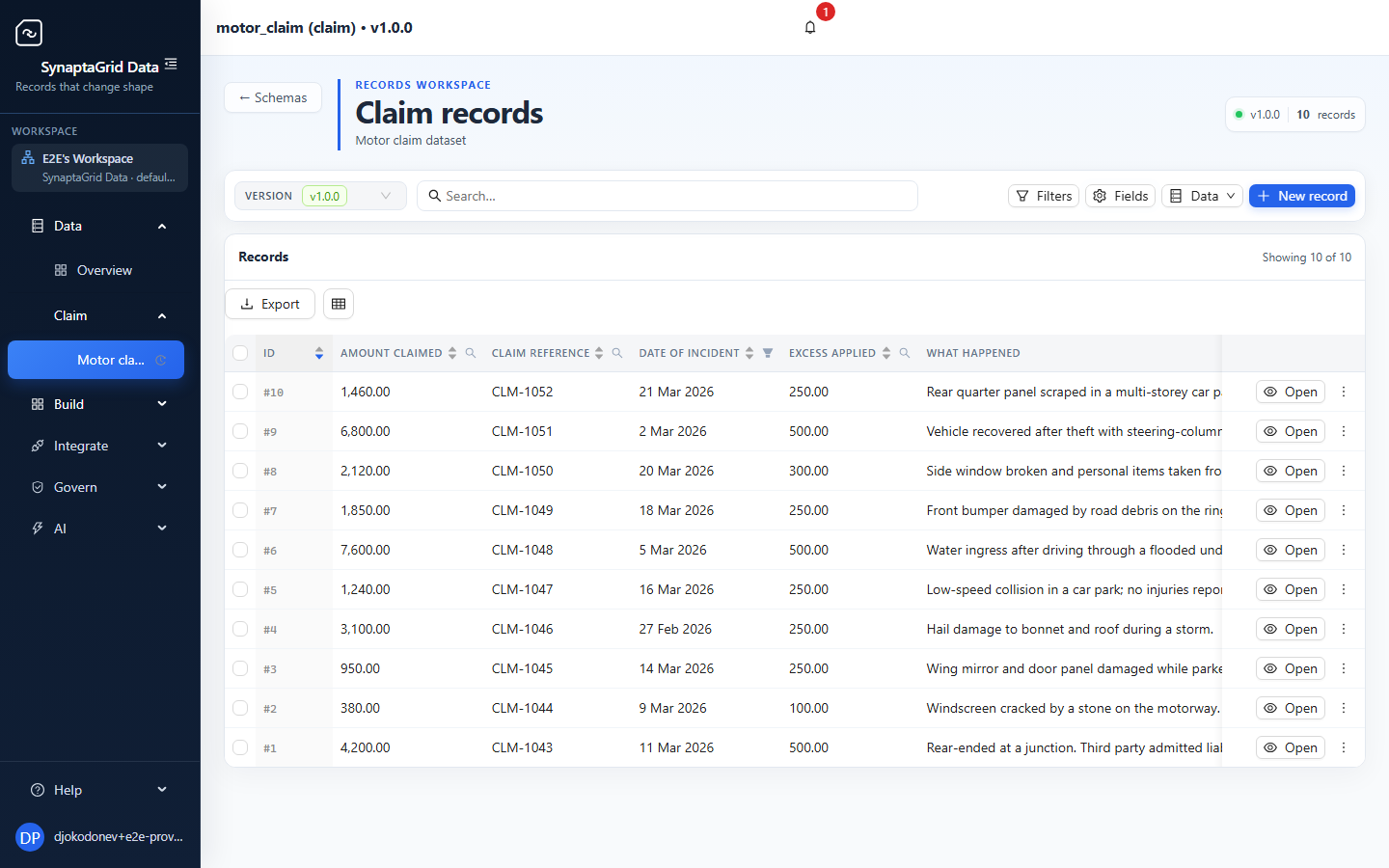
The Data records screen, showing ten motor claim records with claim references, incident dates, claimants, settlement values and statuses.
Data holds the governed record and its current values.

Trigger contract

The same record, now armed for work.

Armed
Automation workflow trigger showing the claim record bound to Created and Updated events with armed status.
Automation listens only after the entity, lifecycle events and mappings pass the arm gate.
  1. 01

    Data

    Publish the record contract

    Publishing the model makes its typed record operations available in Automation. There is no connector to rebuild.

  2. 02

    Automation

    Bind the record to a workflow

    Choose the record and the lifecycle moments that matter — Created, Updated or Deleted — then arm the binding.

  3. 03

    Automation

    Map the current record

    A step can read the record fresh just before it acts, instead of relying on an older event snapshot.

  4. 04

    Both

    Run with a complete history

    Every decision, retry and explicit record update remains visible in the workflow run history.

See it built end to end

Procurement, invoices, contracts, onboarding and more — each followed from an empty account to a running process, in the order somebody would do it.

Try it on something real

The trial runs the same product described on this page.